The short version: every tradie on PropCommand can publish a page at propcommand.ai/tradesperson/your-name. It shows your trades, your area, photos of your work and a Request a quote button, and it's filled in from the profile you already have. It's free. You choose when it goes live and you can take it down whenever you like.
Why a page is worth having
When someone in a local group says "can anyone recommend a plumber?", the replies are usually a name and a number. A link to your own page does more: they see what you do, where you work and what your jobs look like, and they can ask for a quote straight away without waiting for you to pick up.
The same link works on a business card, in a text message, on an invoice and as a QR code on the van.
Be found on Google, with new enquiries straight to your email
Your page isn't hidden inside an app. It's a normal public web page, and we make it easy for Google to find: every published page is listed in our sitemap and in the Find a local tradie directory, so Google can discover it and add it to its index.
That means someone searching for a local tradie can come across you, look at your work and press Request a quote. Their message is emailed to you and you reply to them directly. New business can come to your inbox without you chasing it.
To be upfront: Google decides when it shows a page and where it ranks, and that can take a while. Nobody can promise a position. A page that exists can be found and one that doesn't can't, and a clear headline with your trade and suburb, plus a few good photos, give it the best chance.
What goes on your page
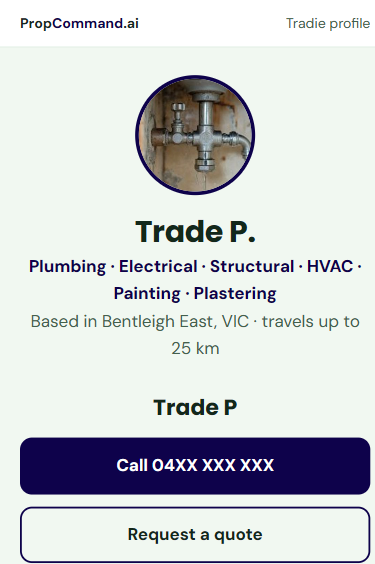
- Your name or trading name, and your trades. Taken from your profile, so there's nothing to type twice.
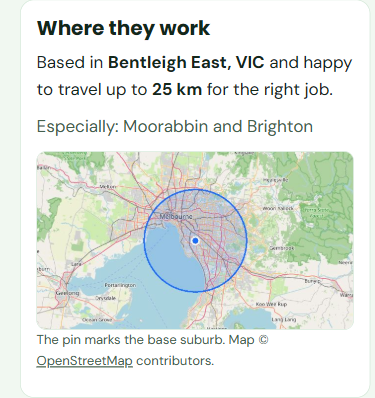
- Where you work. Your base suburb and how far you'll travel, shown on a map. Leave the suburb out and the page lists just the areas you type in.
- A headline and a short "about you". Say how long you've been going and what you're best at, in your own words.
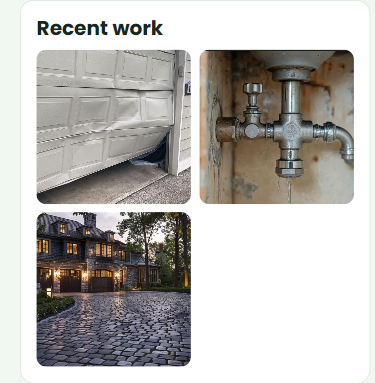
- Up to 8 photos of your work. Visitors tap a photo to open it in a gallery on the same page.
- A Call button. Optional. Show your mobile number or keep it off.
- Your licence number. Optional. Add it if you want visitors to see it.
- Your ABN badge. If your ABN is verified, the badge shows. It means the ABN belongs to a registered business, not that you hold a licence or insurance, and the page says so.
- Your rating. Stars and a count appear once you have ratings from jobs done through PropCommand.
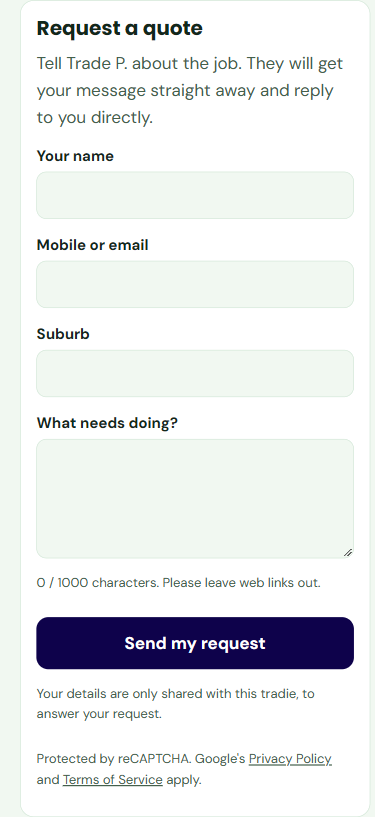
- A Request a quote form. Visitors give their name, contact details, suburb and a description. The form is protected against spam.
What it looks like on a phone
Most people will open your link on a phone, so that's what the page is built for. This is a real page, published from a test account. The phone number is hidden here, and the account's rating and job figures are left out because they are test data.
Make it look like yours
Pick one of four themes (a clean white and blue, a dark navy with amber, a fresh green, or a bold yellow and black) and change the accent colour to suit your branding. You see a live preview as you go, and you can switch any time.
Choose your own web address
Your page lives at propcommand.ai/tradesperson/ followed by a short address you choose, such as bobs-plumbing. The app tells you straight away if it's taken. If you change it later, links you've already shared will stop working, so pick one you're happy to keep.
Share it everywhere
Once your page is live, My Page gives you a share kit:
- A copy-and-paste link and ready-to-post text for Facebook groups and messages.
- A QR code to download for the van, business cards and invoices.
- A Facebook card, a ready-made image with your name, trade and area.
Your privacy
- Your email address is never shown. Quote requests are emailed to you and you reply directly.
- Your phone and licence number only show if you tick the box.
- Location data is stripped from every photo you upload. Please still leave out house numbers, number plates and people's faces, and only upload your own work.
How to set yours up
- Join PropCommand as a tradie (free, no credit card).
- Fill in your profile: name or trading name, trades, suburb, mobile number and a profile photo.
- Open My Page in the app.
- Choose your web address and theme, then add a headline, a short about and a few photos.
- Press Publish. When you change something, press Update live page. Changes can take a few minutes to show.
It's a few minutes' work if your profile is already filled in.
Get your page. It's free.
No credit card, no website needed. Join, fill in your profile and publish.
Frequently asked questions
Is the tradie web page free?
Yes. A page is part of your free PropCommand tradie profile. There is no charge to set it up, publish it or keep it live.
Will my page show up on Google?
Published pages are public and are listed in our sitemap and tradie directory, so Google can find and index them. Google decides when a page appears and where it ranks, so no position can be promised. When someone finds your page and sends a quote request, it is emailed to you.
Do I need my own website or a domain name?
No. Your page lives at propcommand.ai/tradesperson/ followed by an address you choose. You don't need a domain, hosting or any web skills.
Will my email address or phone number be shown?
Your email address is never shown. Visitors send quote requests through a form and you reply by email. Your mobile number and licence number only appear if you choose to show them.
Can I take my page down?
Yes. Use Take down on My Page at any time. It can take a few minutes for the change to show on the public page.
Does the ABN badge mean I'm licensed or insured?
No. The badge shows that your ABN is registered to a business. It does not show that you hold a trade licence or insurance, and the page says so.
This article is general information for Australian tradespeople. A PropCommand page is your own advertising: you are responsible for what you publish on it, including your licence details, and pages that break the rules can be taken down. Features and terms may change as the platform grows.